Rank Math vs Yoast vs SEOPress in 2026, which WordPress SEO plugin is best for bloggers
Table of Contents
Picking a WordPress SEO plugin in 2026 feels like choosing a daily driver. The setup wizards for each tool make the initial transition easier. You’re not just buying features, you’re choosing what you’ll look at every time you hit Publish, update an old post, or clean up a messy redirect trail after a site refresh.
I’ve rotated through Rank Math, Yoast SEO, and SEOPress on small blogs and content-heavy sites. The funny part is that all three can get you to “good on-page SEO.” The difference shows up in your workflow: how fast you can make decisions, how much the plugin nags you, and whether it helps or distracts when you’re trying to write.
Here’s how I’d compare them right now, with a blogger’s schedule in mind.
What changed for WordPress SEO in 2026 (and why plugins feel different)

A few years ago, a WordPress SEO plugin mostly meant managing titles, XML sitemaps, meta descriptions, and maybe breadcrumbs. In 2026, the plugin sits closer to the engine of your site. It handles Technical SEO like schema, indexation signals, redirects, and content checks that can quietly shape rankings.
The big shift I’ve noticed is AI and search behavior. People still use Google, but they also discover content through AI tools and answer engines. Rank Math has leaned hard into this idea with an “AI Search Traffic Tracker” that monitors AI search traffic inside WordPress, plus AI content generator tools. That’s not just shiny tech, it’s a clue about where plugin makers think traffic is coming from next.
The second shift is performance pressure. Core Web Vitals are still a real constraint for bloggers, especially on theme-heavy sites with lots of blocks and embeds. I pay attention to whether a plugin lets me disable modules I don’t use, and whether it adds extra database work (redirect logs are a common culprit). Rank Math’s February 2026 update called out speed work around redirects and IndexNow (adding indexing for faster queries), and schema markup is now a core part of the workflow. Those are the kinds of boring improvements that actually matter when your site grows.
Last shift: schema expectations are higher. Recipe blogs, review sites, local pages, video posts, and even “how-to” style tutorials all benefit from structured data that’s easy to keep consistent. In 2026, schema isn’t optional decoration. It’s essential for search engine rankings, closer to labeling boxes before you move houses.
How I test an SEO plugin in a real blogging workflow
When I try a new WordPress SEO plugin, I don’t start in settings. I start by publishing (or updating) a post and watching what slows me down.
My checklist is simple:
- Optimize the post without overthinking: I want clear guidance on On-page SEO, without turning writing into a scoreboard.
- Internal linking suggestions: I’m usually linking to 2 to 5 older posts, and I don’t want to hunt.
- Apply schema when it fits: Not every post needs it, but when it does, I want it consistent.
- Run an audit: I’m looking for obvious technical issues (indexation, missing fields, broken pages) with Google Search Console integration.
- Handle redirects cleanly: Especially after slug edits or content pruning.
Here’s the short version of how each plugin behaves in that flow.
| Blogger workflow task | Rank Math (2026) | Yoast SEO (2026) | SEOPress (2026) |
|---|---|---|---|
| Content analysis | Strong AI-style helpers, more prompts | Classic Readability analysis, great for clarity habits | Minimal guidance, stays out of the way |
| Internal linking suggestions | Good tooling (varies by setup), tends to be feature-rich | Solid basics, fewer knobs | Clean and quick, less “pushy” |
| Schema breadth | Broad options, feels like a toolbox | Dependable defaults, more extras behind paid tiers | Practical, straightforward schema options |
| Audits and monitoring | Lots of panels and reports, can feel busy | Fewer dashboards, calmer UI | Lightweight, fewer distractions |
| Redirect manager | Built-in tools, recent performance tuning noted | Works well, usually simple | Strong and simple redirect handling |
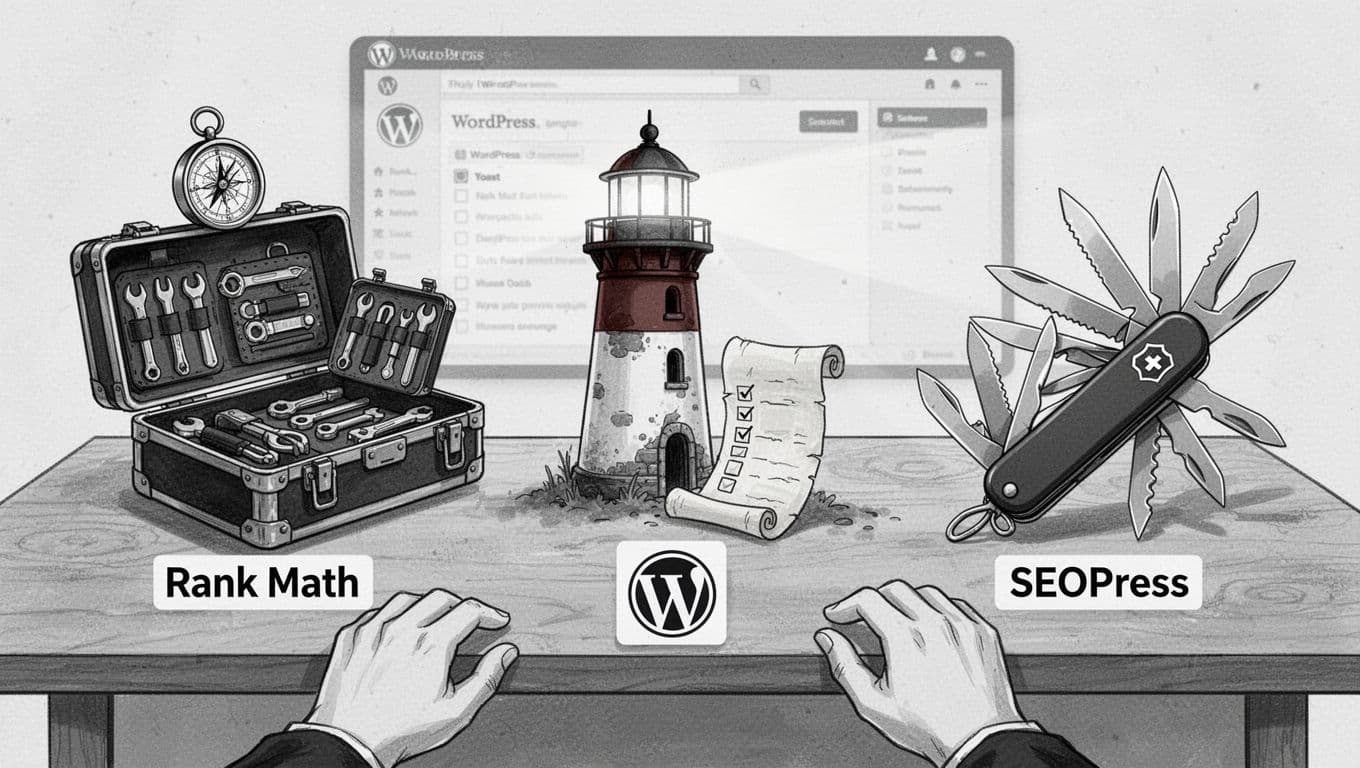
If you like seeing other perspectives, I found this 2026 comparison roundup useful for framing what each plugin tries to be. Compared to AIOSEO as a heavy-hitting alternative, it matches the “toolbox (Rank Math) vs lighthouse (Yoast SEO) vs pocket knife (SEOPress)” vibe, while AIOSEO leans even more comprehensive.
And when I’m training a newer blogger, I pair plugin choice with basics like consistent internal linking and clean site structure. SmartWP’s WordPress SEO tips covers the kind of foundational stuff that makes any plugin work better.
Performance, UI feel, and AI features: the differences that actually stick

Rank Math is the plugin I install when I want options on tap. It’s modular, it’s packed, and in 2026 it’s clearly investing in AI and reporting inside WordPress, including llms.txt files for managing AI crawlers. The upside is momentum: you’ll find modules like 404 monitor and rank tracking, plus features for schema types, indexation pings (like IndexNow), content helpers, and deeper integrations without adding extra plugins. The downside is mental load. If you’re the kind of blogger who gets tempted to tweak settings instead of writing, Rank Math can become a new hobby.
Yoast still feels like the lighthouse. It’s steady, familiar, and it pushes a writing routine with readability analysis that a lot of bloggers actually need to help maintain search engine rankings. If you publish often, that steady guardrail matters more than people admit. The tradeoff is that advanced features tend to live in paid add-ons and premium tiers. Yoast also publishes its own take on the comparison, and I think it’s worth reading as a “from the maker” point of view: Yoast’s breakdown of Yoast vs Rank Math.
SEOPress is the one I reach for when I want calm. It’s leaner with white-labeling for agencies, the UI is less noisy, and it’s easier to keep the plugin from becoming the center of your workflow. On smaller sites, that “quiet competence” is a feature. The tradeoff in 2026 is that it doesn’t try to be your AI assistant or your traffic analyst inside WordPress. If you want those dashboards, you’ll build that stack elsewhere.
One more practical note: whichever plugin you choose, keep your supporting cast tight. Too many overlapping SEO and schema plugins, like pairing AIOSEO with others, can add conflicts and extra scripts. If you’re building a clean stack that handles image SEO and WooCommerce SEO without bloat, SmartWP’s list of best WordPress SEO plugins is a good reference point for what to pair together (and what to skip) with your WordPress SEO plugin.
My “pick this if…” recommendations (no single winner)
If you’re choosing today, I’d match the plugin to your temperament as much as your site.
- Pick Rank Math if… you want a feature-rich cockpit great for rich snippets and local SEO, you like built-in reports, you care about AI-driven workflows in 2026, and you’re willing to spend an hour trimming modules so it stays tidy.
- Pick Yoast SEO if… you want the most familiar editing experience, you value steady guidance for writing and publishing habits that helps with consistent search engine rankings, and you’re fine paying for extras when you outgrow the basics.
- Pick SEOPress if… you want a clean, lightweight SEO setup that doesn’t talk too much and offers value for bloggers who don’t need a complex setup wizard, you already know your on-page routine, and you’d rather keep AI and analytics in separate tools.
The best WordPress SEO plugin is the one you’ll actually use every week, handling essentials like content analysis, XML sitemaps, and meta descriptions effectively. If the interface makes you avoid the settings, it’s the wrong pick, no matter how many boxes it checks. This choice links directly to long-term success in search engine rankings. For further reading on alternatives, consider AIOSEO or integrating with Google Search Console.