WordPress HTML API Explained With Real Examples66
Table of Contents
If you have ever poked at block markup with regular expressions, you already know the feeling. One small change turns into a brittle mess, and the next plugin update breaks your site.
That is why I like the WordPress HTML API so much. It provides a robust, native way to inspect and change HTML using the PHP scripting language without resorting to unstable string manipulation. For those working with complex block-based content, this tool is a total game-changer.
Once you see how it processes tags, the whole system becomes much clearer.
Key Takeaways
- Reliable HTML Parsing: The WordPress HTML API provides a native, robust alternative to fragile regular expressions and string replacement, ensuring your markup modifications don’t break during plugin or core updates.
- Surgical Precision: The
WP_HTML_Tag_Processorallows you to target specific elements and attributes individually, maintaining the integrity of surrounding content while making clean, predictable changes. - Efficient Workflow: By processing markup in document order, the API simplifies complex tasks like injecting attributes, managing CSS classes, or stripping inline styles during render filters.
- Future-Proofing Content: Because the API understands the structure of HTML tags rather than relying on exact character matches or spacing, your code remains functional even if core block markup evolves or shifts over time.
What the WordPress HTML API is, and why I reach for it
The WordPress HTML API was introduced in WordPress 6.2, and it finally solved a problem I kept running into. I often needed to modify HTML that WordPress, a block, or a plugin had already generated, but I did not want to rely on risky string replacements or fragile regular expressions.
If you want the wider WordPress 6.2 context, SmartWP has a good breakdown of the WordPress 6.2 HTML API features. For the raw reference, I keep the official WP_HTML_Tag_Processor documentation close by.
This API was added to WordPress core to simplify parsing HTML in a reliable way. The primary class most developers start with is the WP_HTML_Tag_Processor. This class walks through your markup by identifying individual HTML tags one by one. It allows me to find specific elements, read attributes, add or remove classes, and return updated HTML when I am finished.
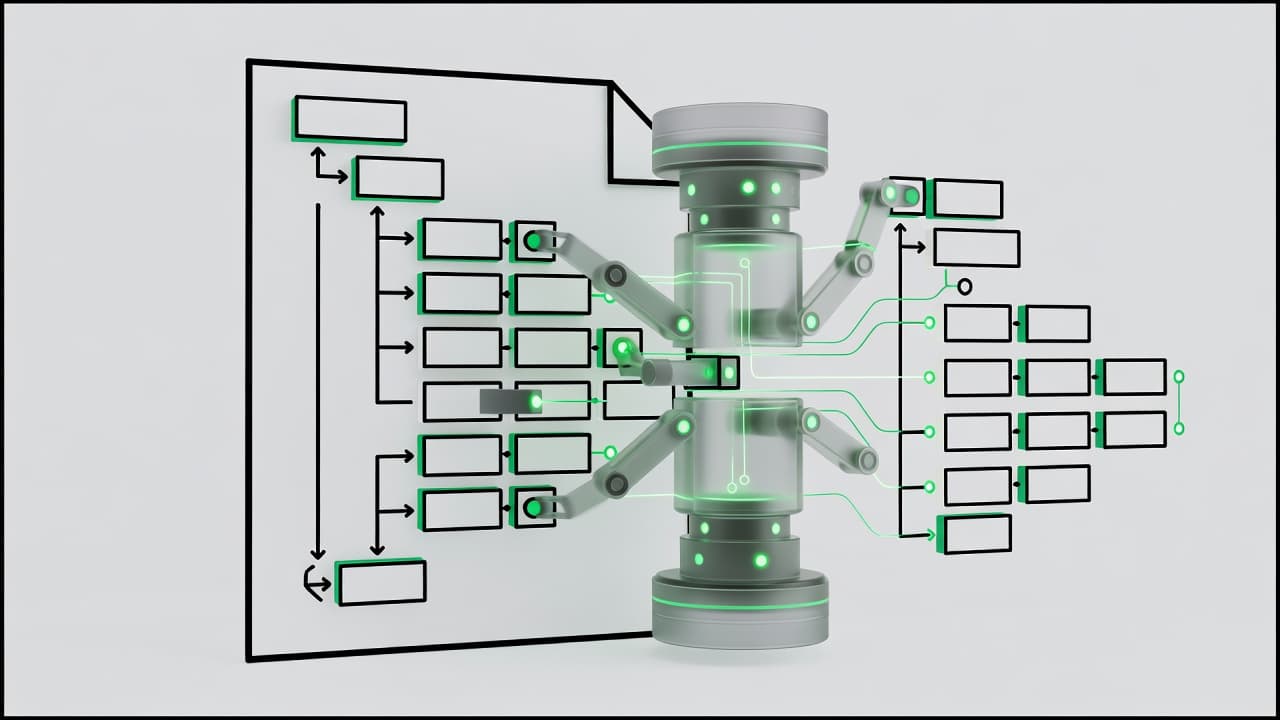
What I like most is the restraint. This is not a browser DOM, and it does not pretend to be jQuery in PHP. It scans forward through the content and changes only what you ask it to change. That narrow, focused job is why it fits so well in filters and render callbacks.
If my code needs to change HTML, I want a parser, not a gamble with regular expressions.
That difference matters. Regular expressions can match text that just looks like HTML, but the tag processor works with actual tags and attributes. It understands class lists and will not accidentally rewrite part of a URL or a text node because the same characters happened to appear there.
If you want a quick visual intro, the Developer Hours session on WordPress.tv is still a solid watch.
A real example: adding missing attributes to images
A practical use case is imported markup. Maybe a plugin outputs raw image HTML, or you are cleaning up content from another system. I often want to add HTML attributes only when they are missing.
$tags = new WP_HTML_Tag_Processor( $html );
That creates the tag processor from an HTML string. Nothing changes yet.
while ( $tags->next_tag( array( 'tag_name' => 'img' ) ) ) {
This method moves through the markup one tag at a time, skipping everything else.
if ( ! $tags->get_attribute( 'decoding' ) ) { $tags->set_attribute( 'decoding', 'async' ); }
Here, I use get_attribute() to check whether the property already exists. If it does not, I use set_attribute() to add it. This is important because I do not want to overwrite markup that another plugin already set on purpose.
if ( ! $tags->get_attribute( 'data-lightbox' ) ) { $tags->set_attribute( 'data-lightbox', 'gallery' ); }
This follows the same pattern with a custom attribute. It is a perfect fit for front-end libraries that look for specific data values.
}
That closes the loop as the processor continues walking until it runs out of matching tags.
$updated_html = $tags->get_updated_html();
Calling get_updated_html() gives me the modified markup back as a string.
What I like here is how controlled the process feels. I am not doing a global search and replace on every instance of an image tag. I am visiting real nodes and touching only the specific attributes I care about. Managing HTML attributes this way is far superior to relying on complex string manipulation or fragile regular expressions.
That also makes the code easier to reason about later. If I come back in six months, I do not have to decode a regex puzzle. I can see the intent right away: find images, check attributes, add what is missing, and return the new string. For these kinds of transformations, the HTML API shines by offering clean input, clear targets, and predictable output.
Adding classes to block output without string replacements
This is the use case that sold me on the WordPress HTML API. I often need to tweak block markup after WordPress renders it, but I want to avoid the fragility of rewriting chunks of HTML by hand.
Say I want every paragraph block in a certain context to get an extra class.
if ( 'core/paragraph' !== $block['blockName'] ) { return $block_content; }
I start by narrowing the target. If the current block is not a paragraph, I leave it alone.
$tags = new WP_HTML_Tag_Processor( $block_content );
Now I load the rendered block HTML into the tag processor.
if ( $tags->next_tag( array( 'tag_name' => 'p' ) ) ) { $tags->add_class( 'is-lead' ); }
This finds the paragraph tag and adds a class. The nice part is that add_class() handles class spacing for me, and it won’t treat the whole class attribute like a dumb string.
return $tags->get_updated_html();
That returns the updated block markup to the filter.
This approach is perfect when used within a render_block filter. If filters still feel fuzzy, SmartWP’s guide to WordPress hooks for developers is worth keeping open while you wire this up.
I also use the same pattern to clean up classes. If a plugin dumps a class I do not want, remove_class() is far safer than a raw text replace. The same logic applies when managing block attributes or modifying inner HTML. Using set_attribute() and remove_attribute() allows for precise adjustments without breaking the structure of the rendered content.
Another win is future-proofing. Block markup can shift over time. If I wrote a string replacement that expects exact spacing or attribute order, it can break fast. The tag processor does not care whether the class attribute comes before an href, or whether another attribute got inserted by core.
For theme-specific tweaks, I may put this in theme code. For site-wide behavior, I prefer a small plugin. If you do keep it in theme land, follow these best practices for functions.php, because parent theme edits are still a bad habit.
Safely traversing HTML when one change becomes five
The first mental shift with the WordPress HTML API is this: it moves forward. It is not a CSS selector engine. It does not hand me a tree of nodes to click around.
That sounds limiting until you use it. Most server-side markup fixes are linear anyway. Because the tool is parsing HTML in document order, it is significantly more reliable than using regular expressions for document-wide cleanup. Regular expressions often break under the weight of malformed or complex markup, but this API remains predictable.
Here is a simple cleanup pass I use on imported content:
$tags = new WP_HTML_Tag_Processor( $html );
while ( $tags->next_tag() ) { if ( $tags->get_attribute( 'style' ) ) { $tags->remove_attribute( 'style' ); } }
return $tags->get_updated_html();
That loop checks every tag in the document. If a tag has an inline style attribute, it removes it. Text nodes stay untouched. URLs stay untouched. The HTML structure stays intact.
I can also target by class name when tag name alone is not enough.
if ( $tags->next_tag( array( 'class_name' => 'wp-block-button__link' ) ) ) { $tags->set_attribute( 'data-track', 'cta' ); }
That is handy when block wrappers vary, but a known class is stable.
The catch is that the tag processor reads in document order. If I need a second pass with different rules, I usually create a new processor from the updated HTML and scan again. That is often clearer than trying to get clever in one giant loop.
There are limits, and I like being honest about them. If I need parent-child relationships, full tree queries, or browser-like parsing behavior, the basic processor is not that tool. In those cases, I look toward the WP_HTML_Processor, which provides more robust, full tag support for complex nesting and more advanced requirements. It also will not run JavaScript or reveal markup created only in the browser after page load.
Still, for WordPress filters, block output, widget HTML, shortcodes, and imported content, it hits a sweet spot. Safe enough to trust, small enough to understand.
If you are curious where this is heading next, the current HTML API roadmap in Gutenberg gives a useful snapshot.
Where I use it most, and where I leave it alone
I rely on the WordPress HTML API whenever existing markup requires surgical adjustments. This is my go-to approach for block rendering, plugin output, and legacy content cleanup, especially when I need to modify HTML tags or inject specific HTML attributes without the overhead of rebuilding an entire template.
I avoid using the API for plain text. If a value has not been rendered into markup yet, I prefer to address it earlier in the data pipeline. Raw data should remain in its original state as long as possible. Furthermore, I do not use the API as a substitute for sound architecture. If I control the template, it is always better to output the correct markup from the start. The WordPress HTML API is a powerful tool for post-processing, but it is not intended to replace clean rendering logic.
That said, WordPress is full of scenarios where I do not control the original output. Between themes, blocks, embeds, and third-party plugin filters, the environment is often fragmented. In those instances, the tag processor acts as the perfect wrench for the bolt. When I need to handle smaller snippets, I find that a fragment parser keeps the structure intact while I apply my changes.
The most important factor I consider is scope. The API performs best when used for small, targeted mutations. If I try to force it into becoming a full document query system, I inevitably end up fighting the tool. By keeping my interventions focused, the WordPress HTML API remains a reliable and efficient part of my development workflow.
Frequently Asked Questions
Is the WordPress HTML API the same as a browser DOM?
No, it is not a full browser DOM or a jQuery-like environment. It is a linear, server-side parser designed to scan forward through markup to identify and modify tags efficiently without the overhead of building a complete document tree.
Can I use the HTML API to edit any HTML on my site?
It is most effective when used within hooks, render callbacks, or filters where you have access to the rendered block or string output. While it works for most markup, it is not meant to replace proper templating or data architecture for content you control from the start.
Does this API handle nested HTML tags or parent-child relationships?
The WP_HTML_Tag_Processor is primarily a linear, forward-moving parser that is best for single-pass changes. If your task requires complex tree traversal or navigating parent-child relationships, the WP_HTML_Processor class is the more advanced tool designed for those specific requirements.
Why should I use this instead of regular expressions?
Regular expressions are notoriously unstable because they treat HTML as plain text and can easily trigger false positives or break valid markup. The HTML API understands the context of actual HTML nodes, making it significantly safer and easier to maintain for long-term development.
Final thoughts
The biggest win when working with the WordPress HTML API is trust. I can change markup with intent, rather than relying on brittle string manipulations and crossed fingers.
Once I stopped treating HTML like a simple string and started treating it like structured content, my filter code became significantly shorter, safer, and easier to revisit later. By utilizing the WP_HTML_Tag_Processor, I have gained a reliable way to interact with document nodes without the risks associated with older methods. That level of control is reason enough for me to keep these tools in my development toolbox for every future project.